

Hey guys, welcome back! I’m Marki, a web designer and no-code developer if you’re new. I will share an article on the ten WordPress plugins I used on every WordPress site a while back; as times have changed, I will update you. Now, I only roll with seven. Some plugins have merged and picked up extra features, which means fewer plugins, and that’s always a win.
Today, I will walk you through these seven must-have plugins and stick around until the end because I’ve got two bonus ones that I use occasionally, depending on the project. Without wasting any time of yours, let’s go straight through the list.
1. Admin and Site Enhancements
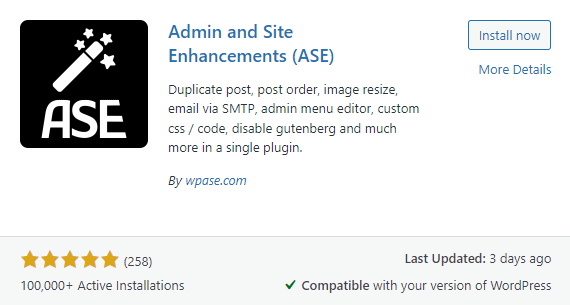
This one’s a game-changer. It’s a relatively new plugin, but it’s become indispensable for me. It combines a bunch of plugins I used to rely on, streamlining the whole process. Once installed, you get this new “Enhancements” option in your menu, where you can turn on some killer features.
For example, I always enable content duplication, which gives you that nifty “Duplicate” option for posts or pages. I’d have to install separate plugins for this back in the day, but now it’s all built-in.
Another gem is the Media Replacements feature. It lets you swap out images in your media library and updates across the entire site—no more hunting down every instance in your page builder. However, the option is a bit hidden, so if the developer is watching, maybe make it more prominent.
How to Get Started and Maximize Your Earnings with Google AdSense
Don’t Miss Out
2. Classic Editor
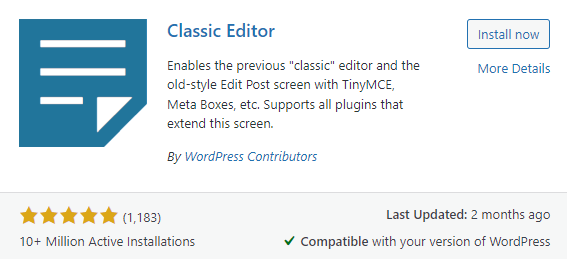
Yeah, I’m still holding onto this one. Many people do, as you can tell by the install numbers. The Gutenberg editor doesn’t vibe with me—it has more blocks and options, but for most projects, a page builder like Elementor covers everything I need. Plus, most clients want simple text and images in their blog posts, so the Classic Editor does the trick.
I know Admin and Site Enhancements offer a way to disable Gutenberg, but I’ve found it to be hit or miss, so I stick with the Classic Editor.



3. Independent Analytics
Here’s a fresh addition: Independent Analytics, a GDPR-compliant alternative to Google Analytics—perfect for EU clients. It gives you a clean, straightforward overview of your site’s traffic on the dashboard. For most clients, it’s all they need. If they ask for more, I can always hook them up with something like ExactMetrics, but I love how straightforward Independent Analytics is.
4. ManageWP Worker
This plugin connects your site to the ManageWP dashboard, where all my websites are managed. It’s a lifesaver—it offers easy logins, free monthly backups, and the ability to schedule automatic plugin updates. You can also do much more, like sending client reports on analytics. If you’re curious, I have a video linked below.
Transform Your Life in 2026: Master the Skills in Technology Industry
Don’t Miss Out
5. Elementor and Elementor Pro
My go-to page builder is still Elementor, the Pro version. Even with new competitors popping up, Elementor is still the king. The Pro version is almost always necessary for my projects, and its integration with Crocoblock keeps it on top.
6. Solid Security (formerly iThemes)
Solid Security, formerly known as iThemes, is my go-to for site protection. It looks better after the rebrand, and while SiteGround also offers a solid security plugin, I prefer Solid Security for most of my projects.
One quick tip: plan on hosting. A good host can prevent most security issues before they reach your site. Plugins are excellent, but your host is your first line of defense.
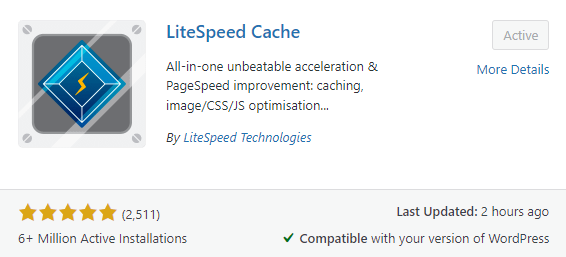
7. LiteSpeed Cache
LiteSpeed Cache is my current favorite for speeding up your site. But let me be clear—no caching plugin can fix lousy development. You need to know how to build a site efficiently, and LiteSpeed Cache boosts it.
Investing in quality hosting is critical here, too. Many big hosts have multiple servers worldwide, so your site loads fast, no matter where your visitors are. Pairing LiteSpeed Cache with LiteSpeed technology on your host is a no-brainer.
Why No Image Optimizer or SEO Plugins?
I’ve stopped using image optimizer plugins because I now optimize images outside WordPress. Tools like Image2.com or Bulk Resize Photos do a fantastic job, so why clutter your site with another plugin?
As for SEO plugins, I no longer include them by default. Instead, I offer SEO as an additional service. If a client wants their site to rank high on Google, I charge extra for that work. But don’t worry; Rank Math and Yoast are great options if needed.
Bonus WordPress Plugins
Finally, here are two bonus plugins I sometimes use:
1. Advanced Custom Fields (ACF)
ACF is still the go-to for custom fields. It now includes custom post types, eliminating the need for another plugin. If you need more advanced features, ACF Pro is great, but I often use Crocoblock’s JetEngine, which offers a similar feature set at a lower cost.
2. White Label CMS
If you need to add custom branding to your WordPress admin area, White Label CMS does the trick. It’s not the best, but it’s good enough to add a logo to your login page or dashboard. Only install this if necessary; otherwise, keep your site as lean as possible.
That’s it for today’s rundown. I hope you found this helpful. If you’re interested in learning more, especially about building fast, efficient websites, check out our website often for updates or subscribe to our YouTube channel. Rino de Boer inspires this article; go check him out for more. Thanks for hanging out, and I’ll catch you in the next one!


This list is gold! 🔥 The right WordPress plugins can completely transform performance, security, and SEO. Love the bonus picks too!
Thank you! 🙌 Choosing the right plugins makes all the difference — less clutter, more results, and a smoother website experience.